Make a fresh set of rhythm exercises for a lesson, rehearsal or quiet practice. Choose what to include, generate your sheet, then print it or save it as a PDF.
Build your practice sheet
Choose the musical material before printing. Use Print in the toolbar to open your browser’s print dialog; Save as PDF is available where your browser supports it.
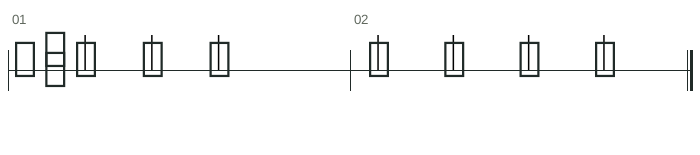
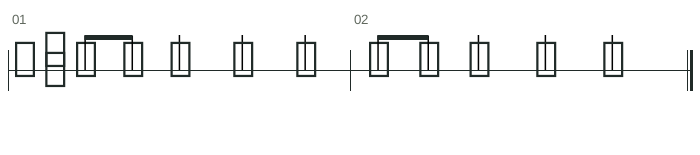
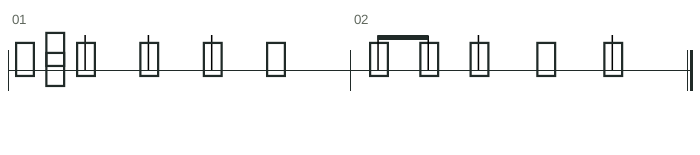
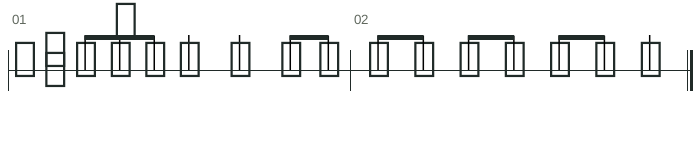
Divide the first beat into two equal eighth notes, then return to one clap on each beat.
Show counting key
Both measures: clap 1, &, 2, 3, 4. The 1 and & share the same amount of time as one quarter-note beat. Keep counting 1 & 2 & 3 & 4 & even when you do not clap every subdivision.
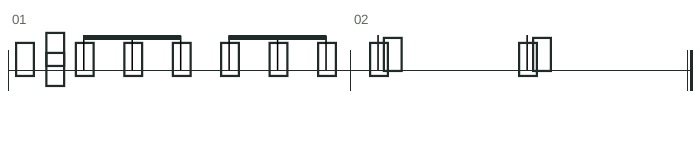
Feel two large beats, each divided into three. Compare six eighth notes with two dotted-quarter notes.
Show counting key
Measure 1: clap 1 la li 2 la li, with a gentle emphasis on 1 and 2. Measure 2: clap on 1 and 2 only; each dotted quarter lasts for one complete la-li group. The playback tempo is dotted-quarter beats per minute.
A useful worksheet asks a specific musical question. For a first lesson, keep a familiar meter such as 4/4 and limit the selection to note values students already know. Introduce rests or a smaller subdivision as the single new challenge.
For a mixed group, make separate sheets with different selections. Keep the same time signature so everyone can share the pulse, then vary the notes or rests rather than simply making one worksheet faster.
Print a clear sheet, or save a PDF
Generate the exercises you want to keep before opening the print dialog. Turn on the counting guide if you want counts on the sheet. The playback range selects what you hear; printing keeps the complete displayed score. Check the preview for page breaks and legible note spacing.
To keep a digital copy, choose “Save as PDF” or your operating system’s PDF printer in the browser dialog. This creates a file from the printable page. The availability and wording of that option depend on your browser and device.
Inspect the print preview before saving or printing.
Use the browser’s paper size and scale controls if a line is too small.
Turn off browser headers and footers if you do not want the URL and date on the sheet.
Use one worksheet in several ways
First, have students mark the beat and write their counting syllables under each measure. Next, clap the line without stopping. Finally, play it on one instrument note, or split the class into one group keeping the pulse and another performing the rhythm.
For a listening task, keep the printed sheet out of sight, perform a line and ask students to write it down. Compare their notation with the sheet afterward. This is a reference for self-checking: discuss other correct spellings that preserve the same audible timing rather than treating the sheet as the only possible answer.
Questions about rhythm worksheet generator
Can I save a rhythm worksheet as PDF?
Use Print and select Save as PDF, or a system PDF printer, in the browser’s print dialog. Check the preview before saving. This uses your browser’s printing features rather than a separate PDF download service.
Does every student need the same worksheet?
You can print several copies of a single generated sheet. To give students different exercises, generate another sheet before printing again. Keep a PDF of each sheet if you need a stable copy for later.
How do I make a beginner worksheet?
Start with 4/4 and a small set of familiar note values. Quarter notes, pairs of eighth notes and simple rests are a practical beginning. Add another note value only when it matches the lesson objective.
Is there an automatically graded answer key?
The fixed PDF examples include a separate counting key. Generated worksheets can show counting labels, but neither option grades a student’s performance or written answer. For listening practice with an answer reveal, try rhythm dictation mode.